
Cloudybus system modules
Each module solves its own dispatch task. All modules work on shared data — with no double entry.
Waybills
Issuing, maintaining and closing waybills. Registers by period, electronic approval, printable forms.
Routes
Route editor with stops, timing and a line drawn along real roads. Linked to customers and sites.
Orders
Recurring and one-off assignments, customer links, weekday schedules, prices and order closing.
Assignment
Assigning vehicles and drivers to jobs. A clear day and week grid, with conflict control.
Reports and fuel
Reports on closed orders, fuel movement and fuel cards. Export for accounting and customers.
Reference data and roles
Customers, drivers, vehicles, devices. Flexible access rights: dispatcher, logistician, administrator.
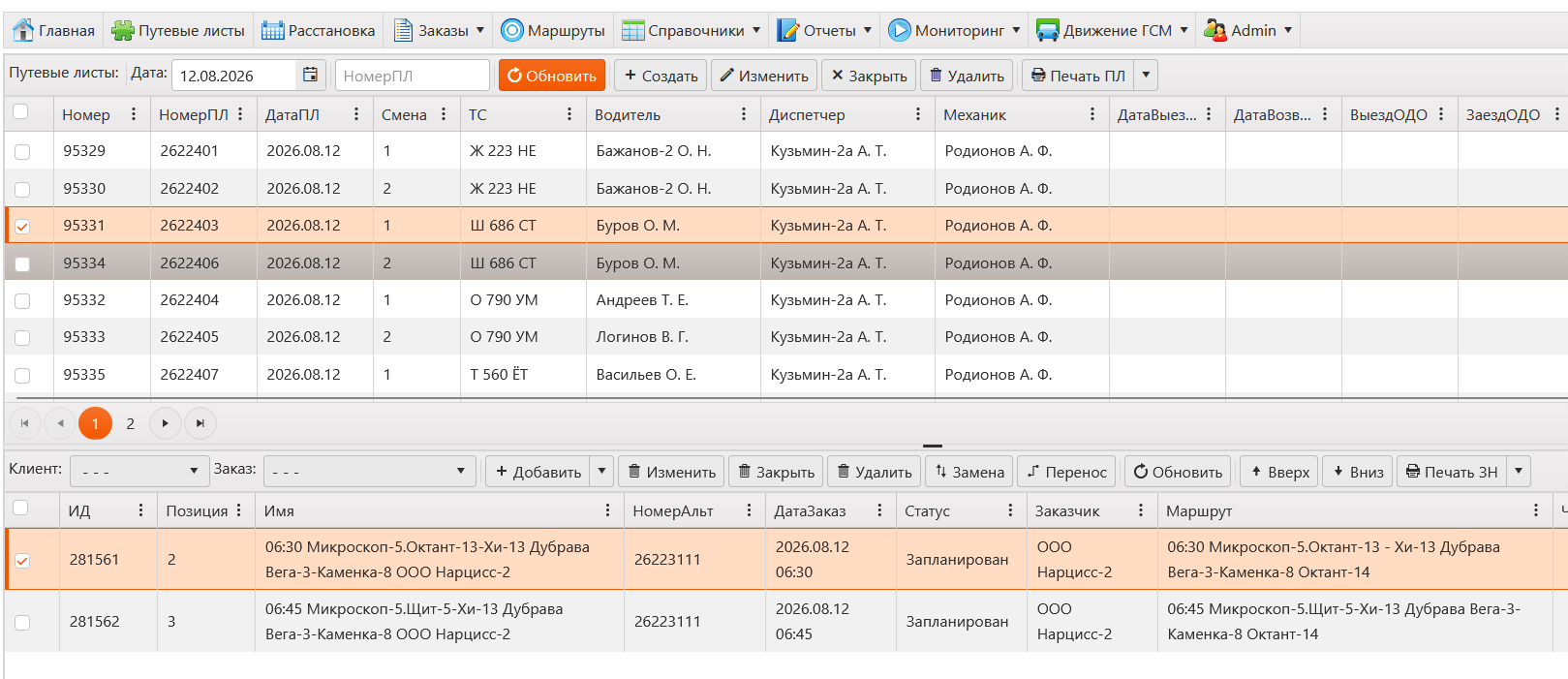
Waybills
A waybill is issued for a “vehicle × shift” pair and collects the orders that vehicle runs during the shift. The registry for the date is on top; the contents of the selected waybill, in running order, below.
- Driver, dispatcher and mechanic are set for the whole day rather than waybill by waybill.
- Orders inside a waybill can be added, replaced, moved to another waybill and reordered.
- Waybill forms and job orders print in one batch for the selected rows.
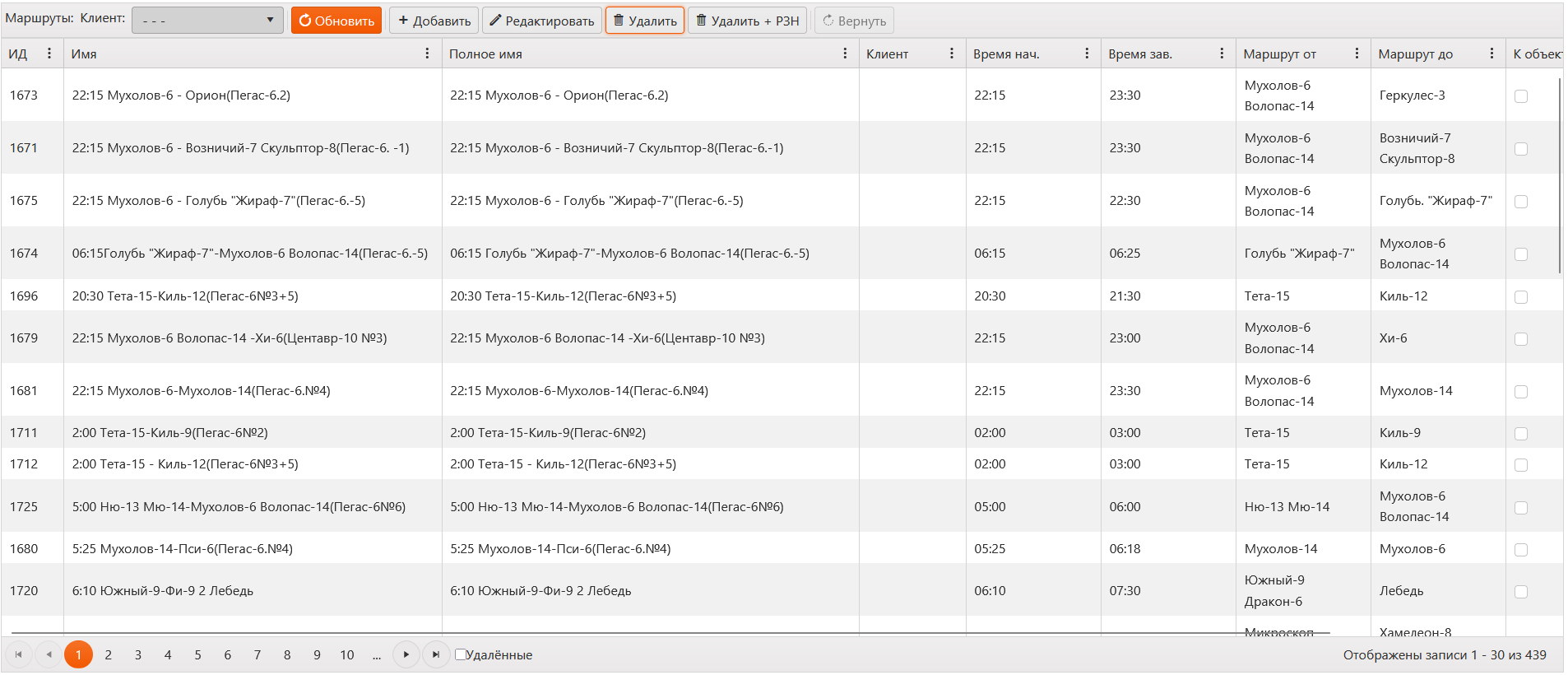
Routes
A route describes the way to go: start and end points and the stops in between with arrival times. The line follows real roads automatically, and distance and timing are recalculated when stops are reordered.
- Stop addresses are suggested as you type or placed by clicking the map.
- Map tiles, routing and geocoding run on our own infrastructure rather than on someone else’s demo servers.
- Routes are what recurring jobs and waybills are built from.
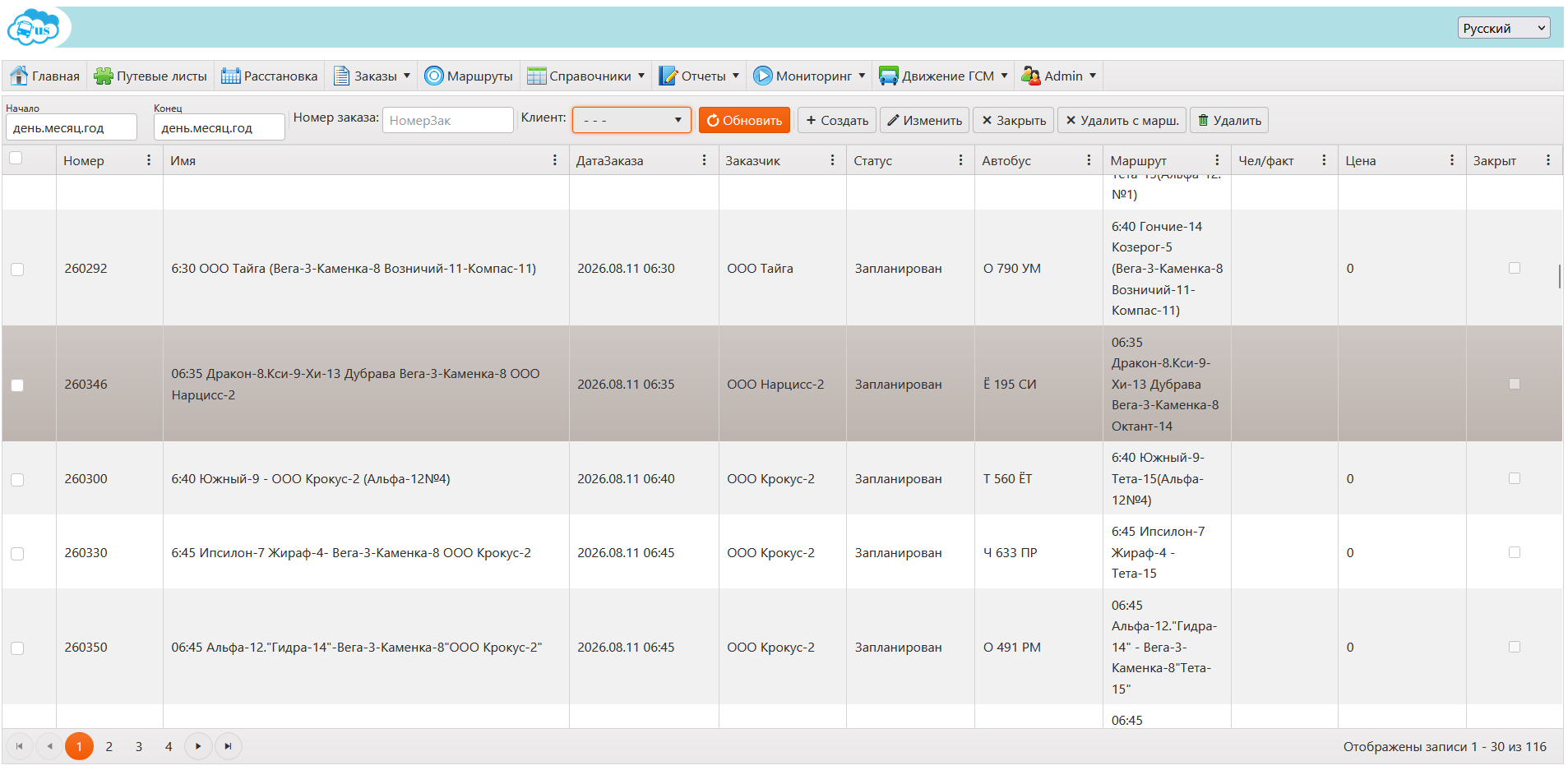
Orders
An order is a single trip: customer, route, date and time, vehicle type and passenger count. One-off orders are entered by the dispatcher; recurring ones come from a template with a weekday schedule.
- A template runs for a set period and produces orders for every matching day on its own.
- Passengers are counted three times over: planned, confirmed by the dispatcher, and registered by access cards.
- A status carries the order from planned to closed, and closed orders feed the reports.
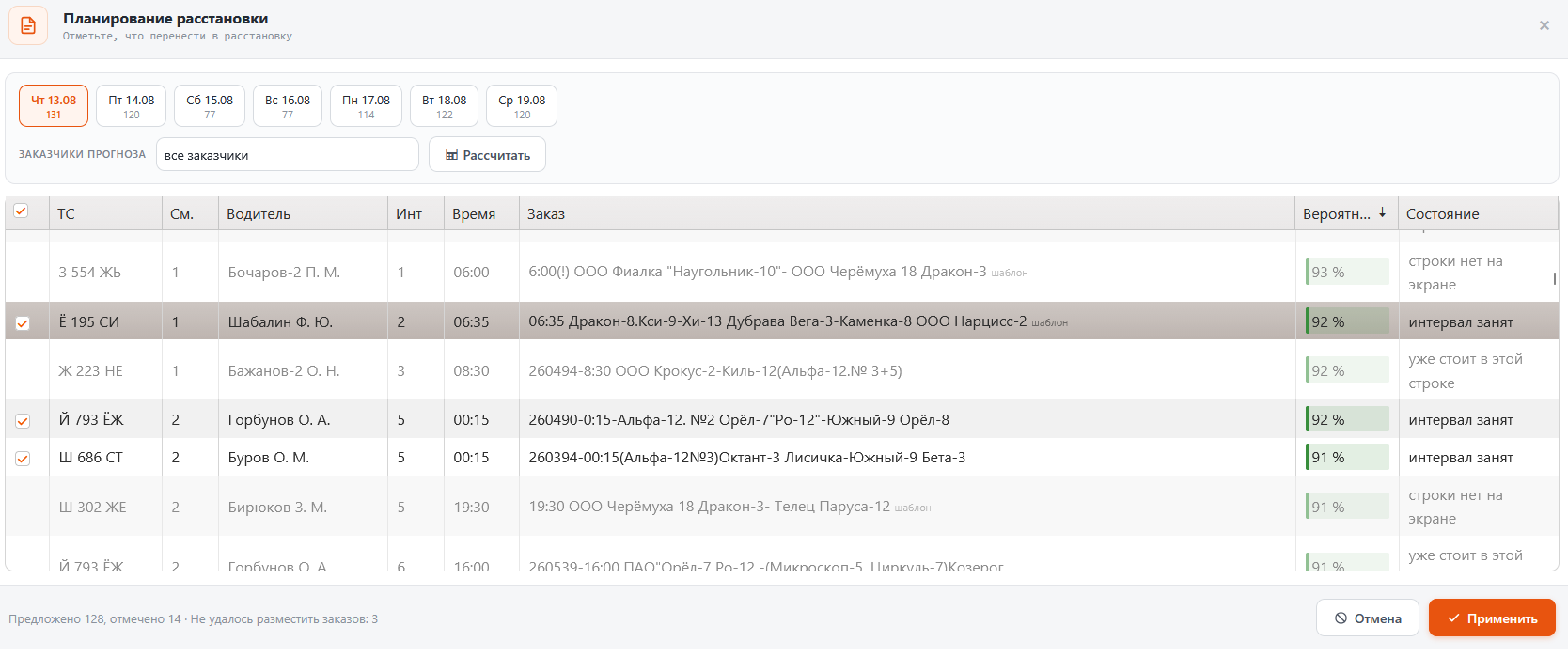
Assignment
The scheduling board is the plan for the day: which bus, with which driver, on which shift runs which orders. Unassigned orders are dragged into free cells, and a saved row issues a waybill.
- The forecast proposes a schedule a week ahead and shows the probability of every suggestion.
- Ticked suggestions move onto the board in one press — the decision stays with the dispatcher.
- Busy intervals and orders already placed in another row are flagged separately.
Reports and fuel
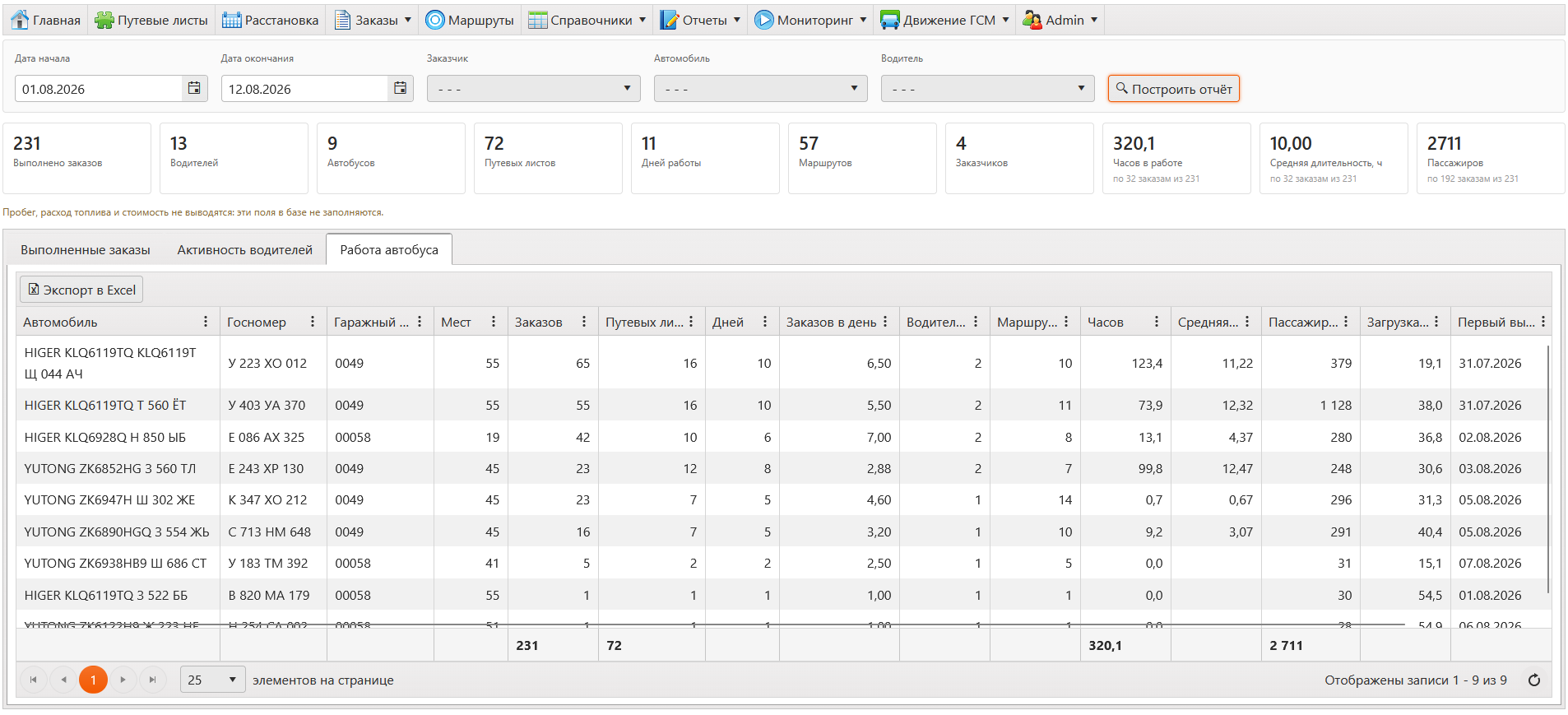
The completed orders report collects the fleet’s work over a period in three views at once: by order, by driver and by vehicle. Fuel data arrives as a separate file from the fuel company and is matched to cards.
- Period summary: orders, drivers, vehicles, waybills, hours and passengers.
- Per vehicle — orders per day, hours, passengers and load in per cent.
- Any view exports to Excel or goes to the printer.
Reference data and roles
Customers, drivers, vehicles, devices, fuel cards and shifts are kept in one place, and permissions are granted by role — dispatcher, logistician, administrator.
- Accounts are created by the carrier’s administrator: there is no self-registration.
- The interface is translated into five languages: Russian, English, Kazakh, Armenian and Georgian.
- Data is separated by carrier — a user sees only their own fleet.