
Documentation / Modules / Routes
Creating and editing a route
A route describes the path a vehicle follows: departure and destination points, intermediate stops with arrival times, and the customer it belongs to. Recurring assignments and waybills are built on top of routes.
Adding a route
- Open the Routes section in the top menu.
- Click + Add.
- Specify the customer, the route name and the “Route from” and “Route to” points.
- Add stops: start typing an address or click on the map.
- Click ✓ Update to save.
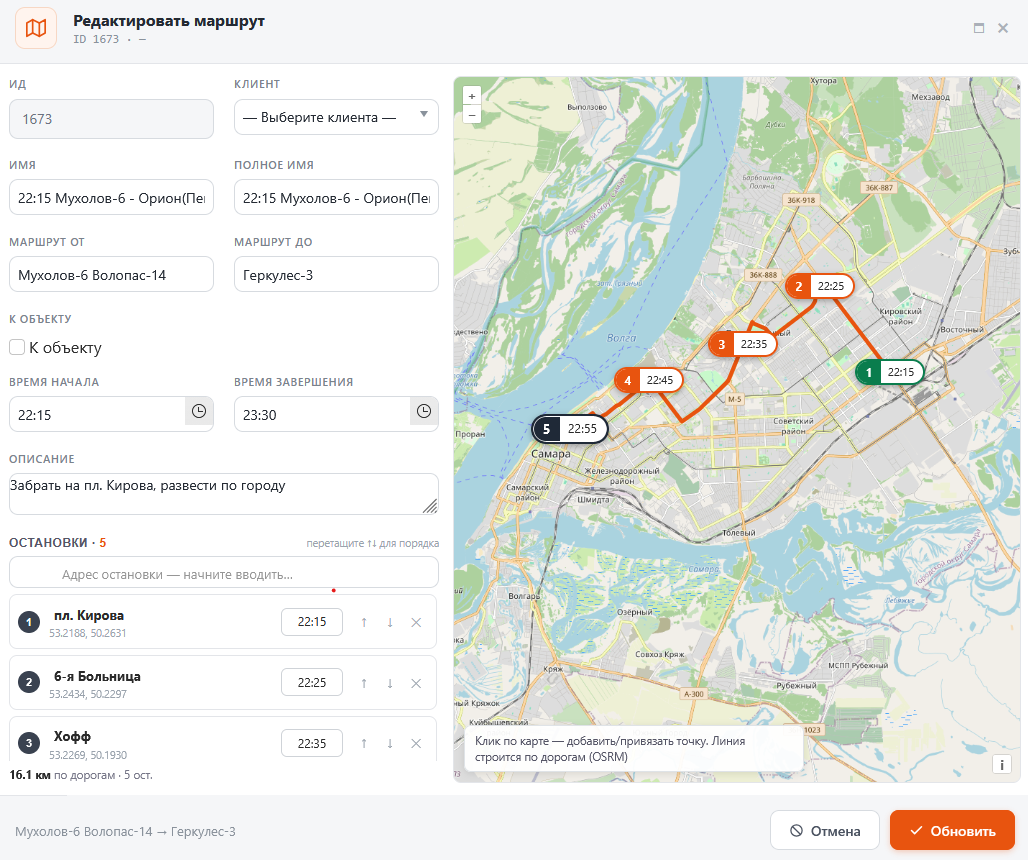
Tip. The route line is drawn along real roads automatically (OSRM). Drag the stops in the list to change their order — time and distance are recalculated.